How to Set Up Korean Typing
“If you want to start your Korean learning journey, Korean keyboard setup is the first step. Here is how to set up…”
How to Setup Korean Keyboard for Windows Users
How to Practice Korean Typing Online
- Go to Settings > Time & Language > Language & Region.
- Check if “Korean” is already listed under “Preferred languages.”
- If it’s not there, click “Add a language” and install “Korean.”
- Quick Tip: Once installed, you can easily switch between English and Korean by pressing
Windows key+Spaceon your keyboard.
How to Setup Korean Keyboard for Mac Users
- Go to System Settings > Keyboard > Input Sources.
- Click the “+” button to search for and add “Korean.”
- Quick Tip: You can toggle between languages by pressing
Control+Space(orCommand+Space, depending on your settings).
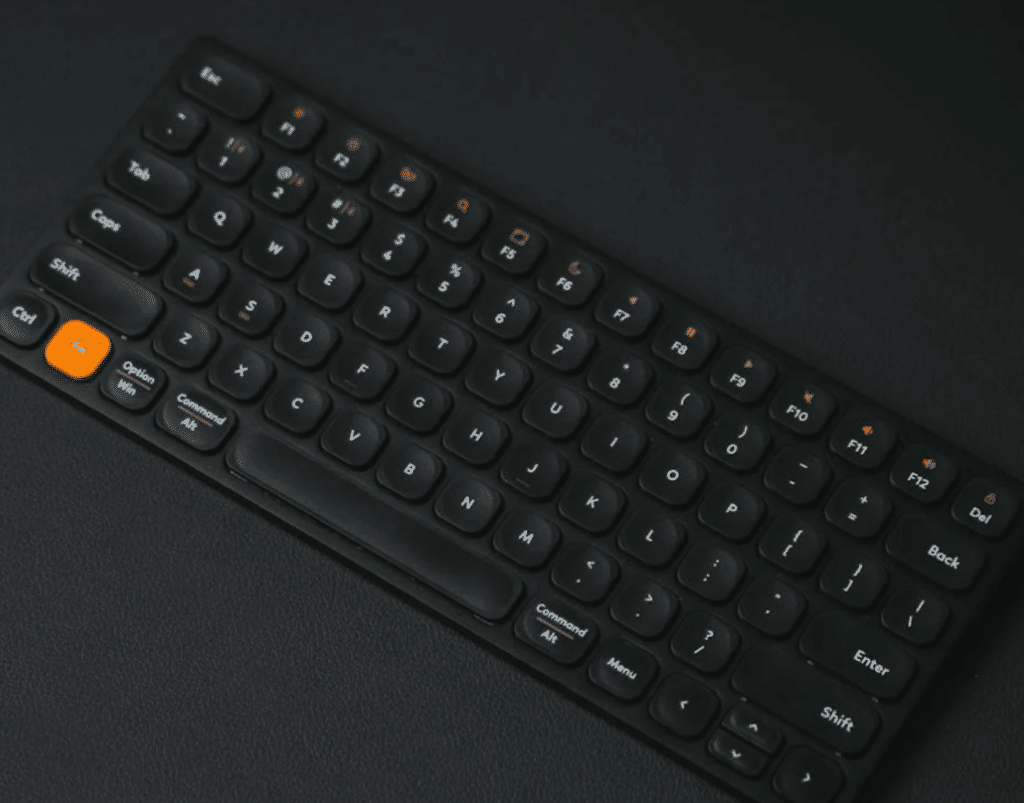
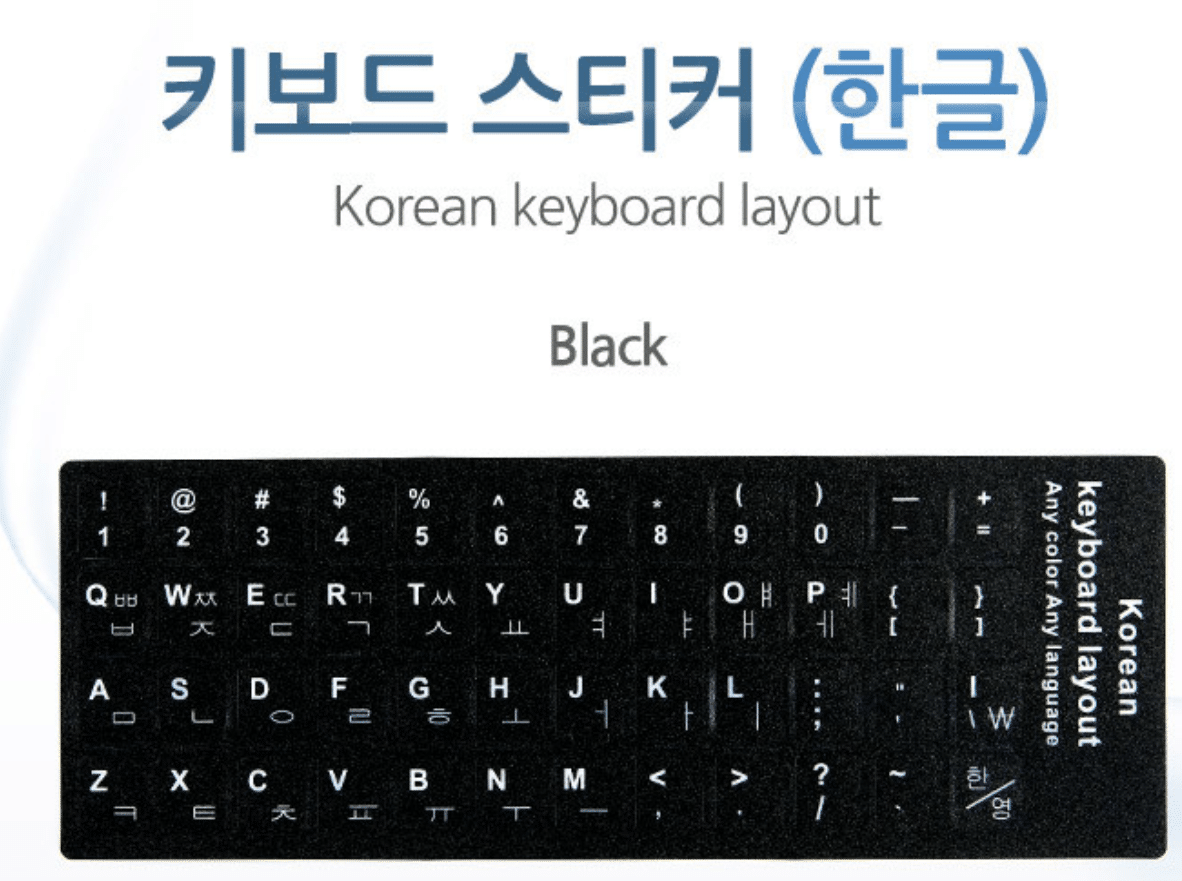
“Pro-Tip:
Make it easier by adding Korean keyboard stickers or using a marker to write the Korean characters directly on your keyboard keys.
This visual aid will help you memorize the layout much faster!”
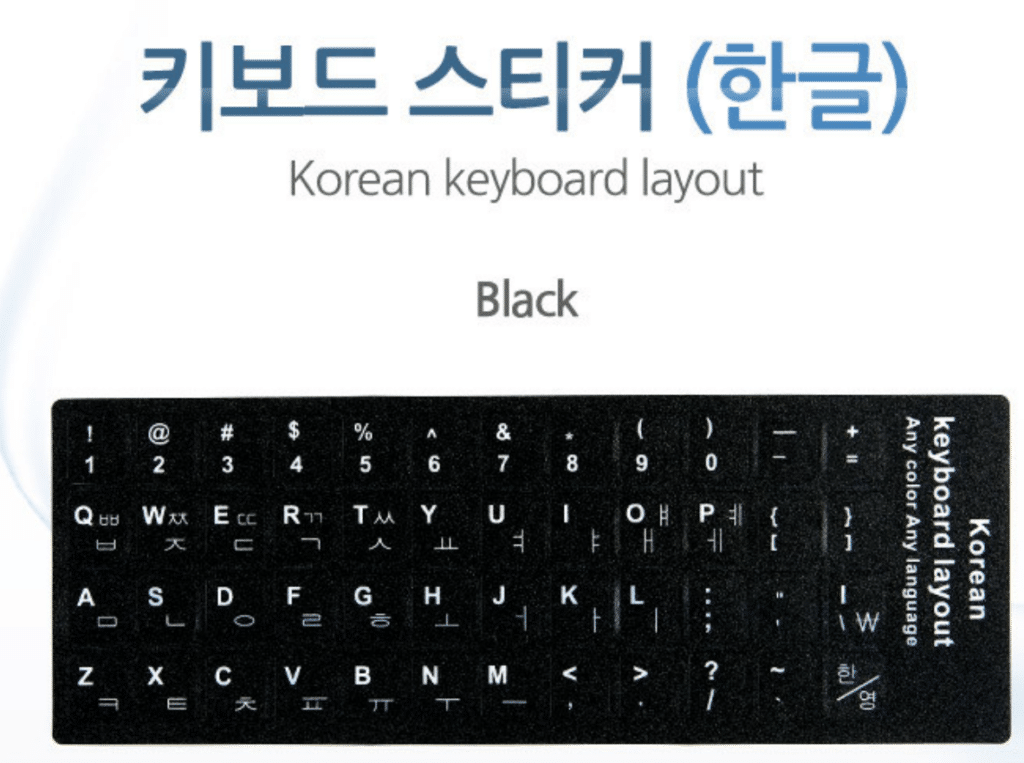
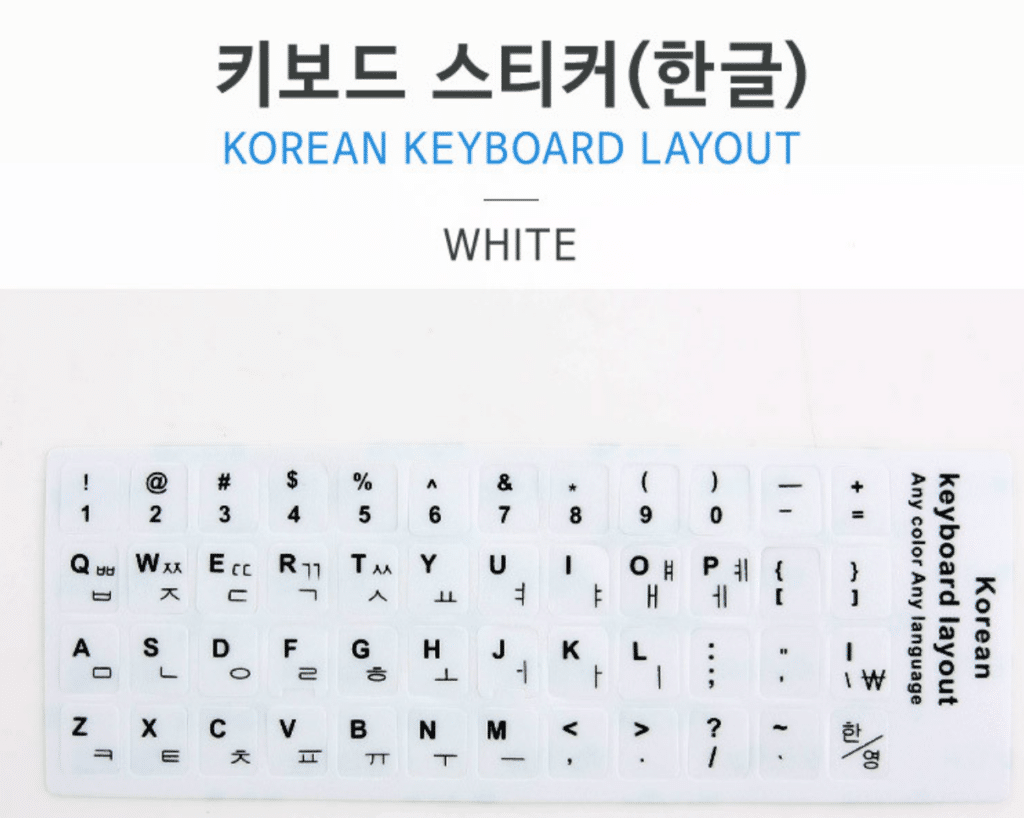
| 위치 (Location) | 영어 키 (English Key) | 한글 (Hangul) |
| Left Side (자음) | Q / W / E / R / T | ㅂ / ㅈ / ㄷ / ㄱ / ㅅ |
| A / S / D / F / G | ㅁ / ㄴ / ㅇ / ㄹ / ㅎ | |
| Z / X / C / V | ㅋ / ㅌ / ㅊ / ㅍ | |
| Right Side (모음) | Y / U / I / O / P | ㅛ / ㅕ / ㅑ / ㅐ / ㅔ |
| H / J / K / L | ㅗ / ㅓ / ㅏ / ㅣ | |
| N / M | ㅠ / ㅜ / ㅡ |

How to Type Korean on a Keyboard Without a ‘Han/Yeong’ Key (Windows 10/11)
If you are using a keyboard that lacks a dedicated language switch key, you can easily enable Korean input by changing the Windows hardware keyboard settings.
| Step | Action |
| 1 | Press [Windows Key] + [I] to open Settings. |
| 2 | Go to [Time & Language] > [Language & region]. |
| 3 | Click the […] icon next to [Korean] and select [Language options]. |
| 4 | Under “Keyboards,” click [Change layout] next to “Hardware keyboard layout.” |
| 5 | Select [Korean Keyboard (101 Key) Type 1] from the dropdown menu. |
| 6 | Click [OK] and Restart your computer to apply the changes. |
Note: After applying this, you can usually switch between English and Korean by pressing the [Right Alt] key. If ‘Type 1’ does not work, try selecting other options in the dropdown menu.
한컴타자연습

How to Practice Korean Typing Online (Without Installation)
You can easily practice your Korean typing skills directly in your web browser without needing to download any software.
- How to Access:
- Visit the official Hancom Typing website.
- You can start practicing immediately, including features like word practice and typing games.
- Key Benefits:
- No Installation Needed: Save time and storage space by practicing directly in your browser.
- User-Friendly: Ideal for beginners to learn basic key placement and improve typing speed.
- Accessible: Perfect for anyone who wants to improve their Korean proficiency on the go.
site https://www.hancomtaja.com/ko/game
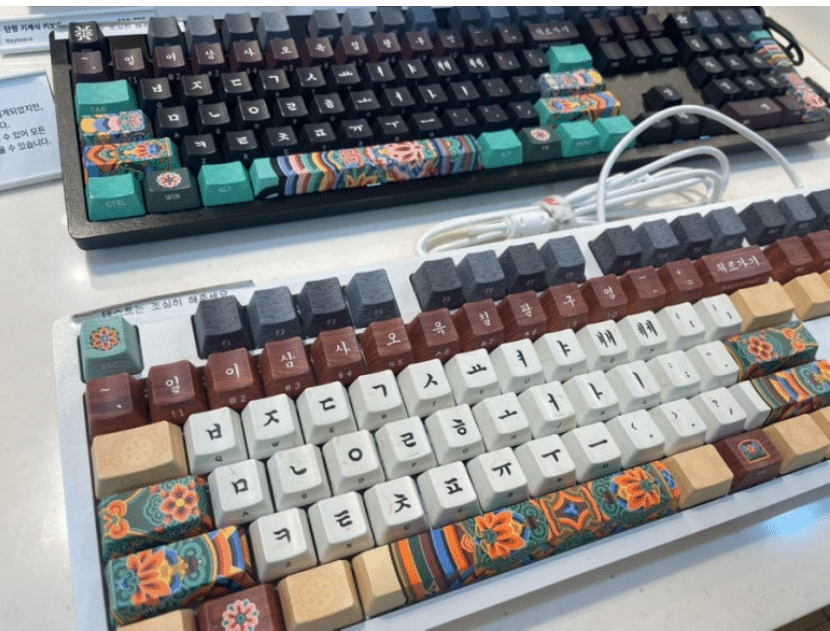
Unlock the World of K-Pop: Why Mastering the Korean Keyboard is Your Ultimate Edge!
Hey there, fellow fan! Do you find yourself refreshing your feed every single second, desperately waiting for the latest updates on your favorite idol? Have you ever wondered, “How do Korean fans get the news so fast?”
The secret is simpler than you think: it’s all about communicating in Korean! If you want to catch the hottest K-wave news and engage with fan communities in real-time—without waiting for translations—mastering the Korean keyboard is your ultimate shortcut.
Why the Korean Keyboard?
- Experience Information at the Speed of Light: The latest news and buzzing trends start right in Korean-language communities and social media. Experience the thrill of reading raw, unfiltered content before anyone else.
- Level Up Your Fandom: Want to leave a comment on your idol’s latest post or chat with local fans? Using the Korean keyboard puts you at the very heart of the action, making your fan experience infinitely more immersive.
Why Mastering Korean is Your Ultimate Edge for Studying or Living in Korea
Are you considering studying or moving to Korea? It’s a huge life decision, and while YouTube is full of flashy content about K-Culture, it doesn’t always show you the “real” reality. To make the best choice for your future, you need to go beyond the surface and dive into authentic Korean information.
1. Finding ‘Real’ Information Without Filters
Most YouTube videos are translated through someone else’s perspective. By reading real Korean news and unfiltered local discussions, you’ll see the side of Korea that media often hides.
- Objective Insights: Search Korean-language portals like Naver News for accurate information on the cost of living, real challenges of settling down, and practical tips.
- The Power of Community: Join local Naver Cafes or open chats for prospective students or expats. The advice you get from locals there is far more accurate than any scripted video.
2. Breaking the ‘Language Barrier’ for Better Decisions
If you dream of a life in Korea, understanding the language is more than just communication—it’s your strongest weapon to protect your interests.
- Catching Local News in Real-Time: Whether it’s policy changes, social issues, or housing market trends, reading it in Korean allows you to react faster and plan more effectively.
- Empowerment through Understanding: Don’t rely on someone else’s opinion. By analyzing the information yourself, you can build your own roadmap to Korea with confidence.
“Don’t you want to see, experience, and decide everything about the Korea where your future lies?”
Studying abroad or immigrating is a major turning point in your life. While the “idealized” version of Korea on social media is fun, the moment you start searching and reading in Korean, you stop being a mere observer and become the lead in your own journey.
Language is the tool that will solidify your choices. Start small—try searching for real Korean news today and see the difference it makes!
[Useful Resources]
A Korean keyboard is essential to search for Korea,
where it is safe for a woman to roam around at night. ^^